


Payflex at Lime Light: spend limit, how to grow it and how to sign up
Also called Payflex spend limit, how to increase Payflex limit, Payflex requirements, Payflex app, Payflex sign up

Payflex lets you take your hair, beauty, nail and salon order home now and pay for it in interest-free instalments. Here is everything you need to know: how much Payflex will let you spend, how to grow your limit, what you need to sign up, where to get the app, and the answers to the questions our customers ask most.[1]
The quick answer
- What is Payflex? A South African buy now, pay later service. Split your Lime Light order into 2, 3 or 4 interest-free payments.
- How much can I spend? Your spend limit is set by your personal Payflex assessment and shows in the Payflex app and Customer Portal.
- How do I grow my limit? Pay every instalment on time or early, use Payflex regularly and keep your other accounts in good standing.
- What do I need? To be 18+, a South African ID number, a Visa, Mastercard or Amex card, an email address, a cellphone and a good credit record.
- Where is the app? Apple App Store, Google Play and Huawei AppGallery. You can also register at checkout or on the Payflex website.
- At Lime Light: shop online at limelighthb.co.za and choose Payflex at checkout.
What you will learn
Salon owner path- Explain: What is Payflex?
- Explain: How do Payflex payments work?
- Explain: How much credit will Payflex give me?
What is Payflex?
Payflex is a buy now, pay later payment option. Instead of paying the full amount at checkout, you pay part of it upfront and the rest in scheduled instalments, with no interest. Your Lime Light order is processed and sent to you as if you had paid the whole amount on day one.
Payflex describes itself as an interest and charge-free payment plan, not a credit provider. It makes its money from a small fee paid by the store, so there is no cost to you unless you miss a payment.
How do Payflex payments work?
| Plan | Paid at checkout | The rest | Interest |
|---|---|---|---|
| Pay in 4 | 25% | Three payments of 25%, every two weeks over six weeks | None |
| Pay in 3 | A third | Split over your next two paydays | None |
| Pay in 2 | Half | The other half on your next payday | None |
Pay in 2 and Pay in 3 tip: if you buy five or more days before your payday, the next payment comes off on that month's payday. If you buy within five days after payday, it moves to the following month's payday. The plans you can choose are shown at checkout.
How much credit will Payflex give me?
There is no single set amount. Payflex works out a personal spend limit for every shopper when they sign up, based on a real-time assessment that includes a credit check. Once you are approved, you can see your available spend limit at any time in the Payflex app or the Customer Portal.
- You can place several orders at once, as long as they fit within your spend limit and your account is in good standing.
- You can spend more than your limit, but your first payment will be bigger to cover the difference. Payflex calls this a "heavy basket".
- Your limit can change over time, up as you build a good payment record, and Payflex can re-check your credit while your account is active.
How do I increase my Payflex spend limit?
Payflex reviews accounts over time. Increases are not guaranteed, but these habits put you in the best position:
- Pay every instalment on time. Make sure the card on your order has funds and is enabled for online payments.
- Pay early when you can. Log into the app or Customer Portal, open the order and pay the next instalment or the full balance.
- Use Payflex regularly, for example for your monthly salon restock, and repay it well.
- Keep your other accounts up to date. Payflex looks at how you pay other credit providers too.


What do I need to sign up for Payflex?
There is no paperwork. When you register, Payflex asks for your ID number, cellphone number and email address, and confirms it is really you with a quick face photo matched to your Home Affairs record. The system then runs a real-time credit check, and if everything checks out you can shop in less than a minute.
Where do I download the Payflex app or register?
- Apple App Store: search for "Payflex Buy Now Pay Later".
- Google Play: search for "Payflex".
- Huawei AppGallery: search for "Payflex".
- On the web: register at customer.payflex.co.za, or simply choose Payflex at the Lime Light checkout and sign up as you pay.
In the app you can see your spend limit, view your orders and due dates, pay early, change the card on an order, and withdraw any refunds from your Payflex Wallet.

How do I pay with Payflex at Lime Light?
- Shop online at limelighthb.co.za and add your products to the basket.
- Choose Payflex as your payment method at checkout.
- Sign in, or sign up in about a minute with your ID number, cellphone and email.
- Check your plan, then pay the first part. We process and send your order as normal.
What can I buy with Payflex at Lime Light?
Anything in your online basket, from colour and backwash care to gel polish, furniture and equipment. It is especially handy for bigger purchases that earn money back in the salon every day:
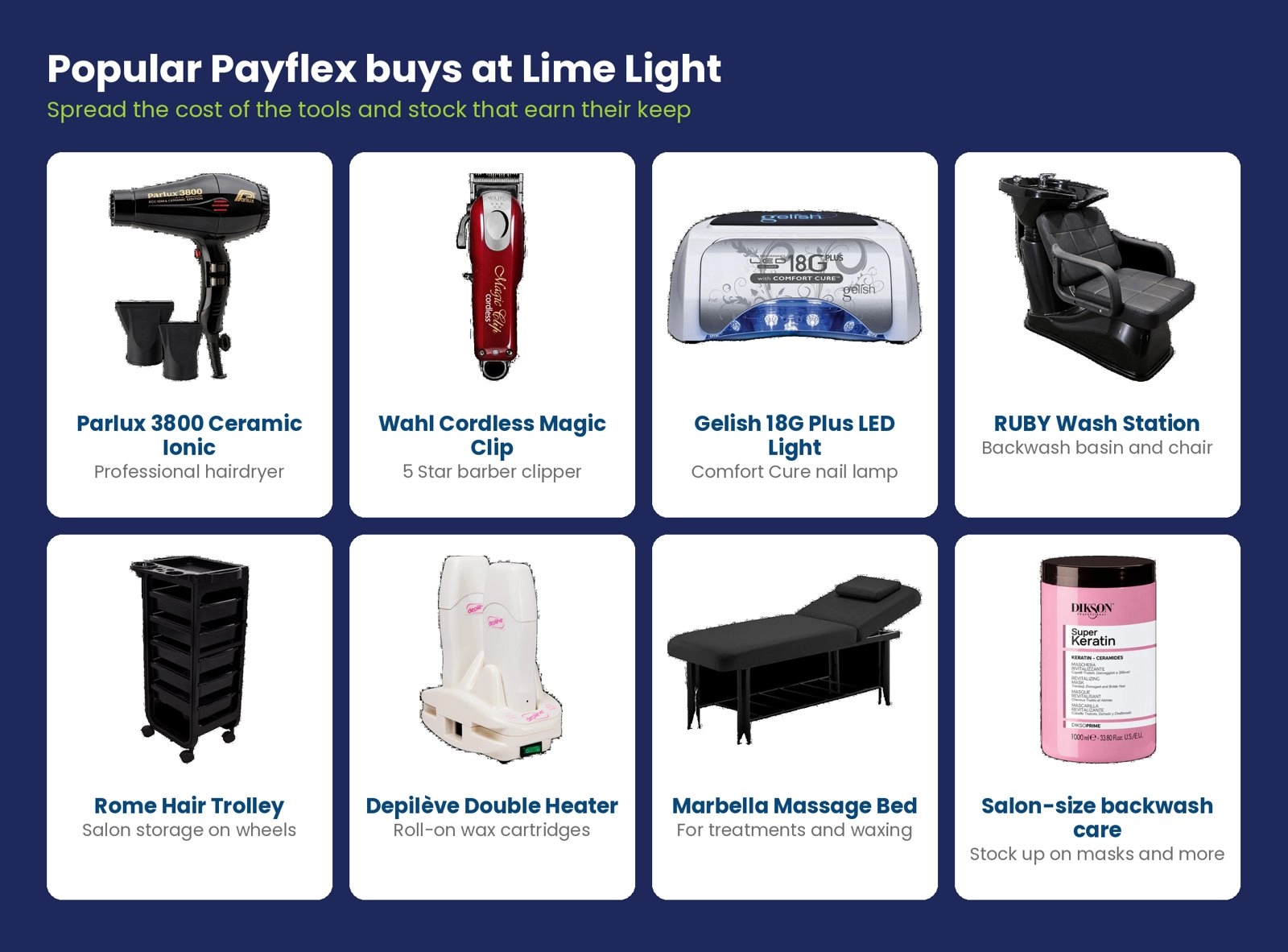
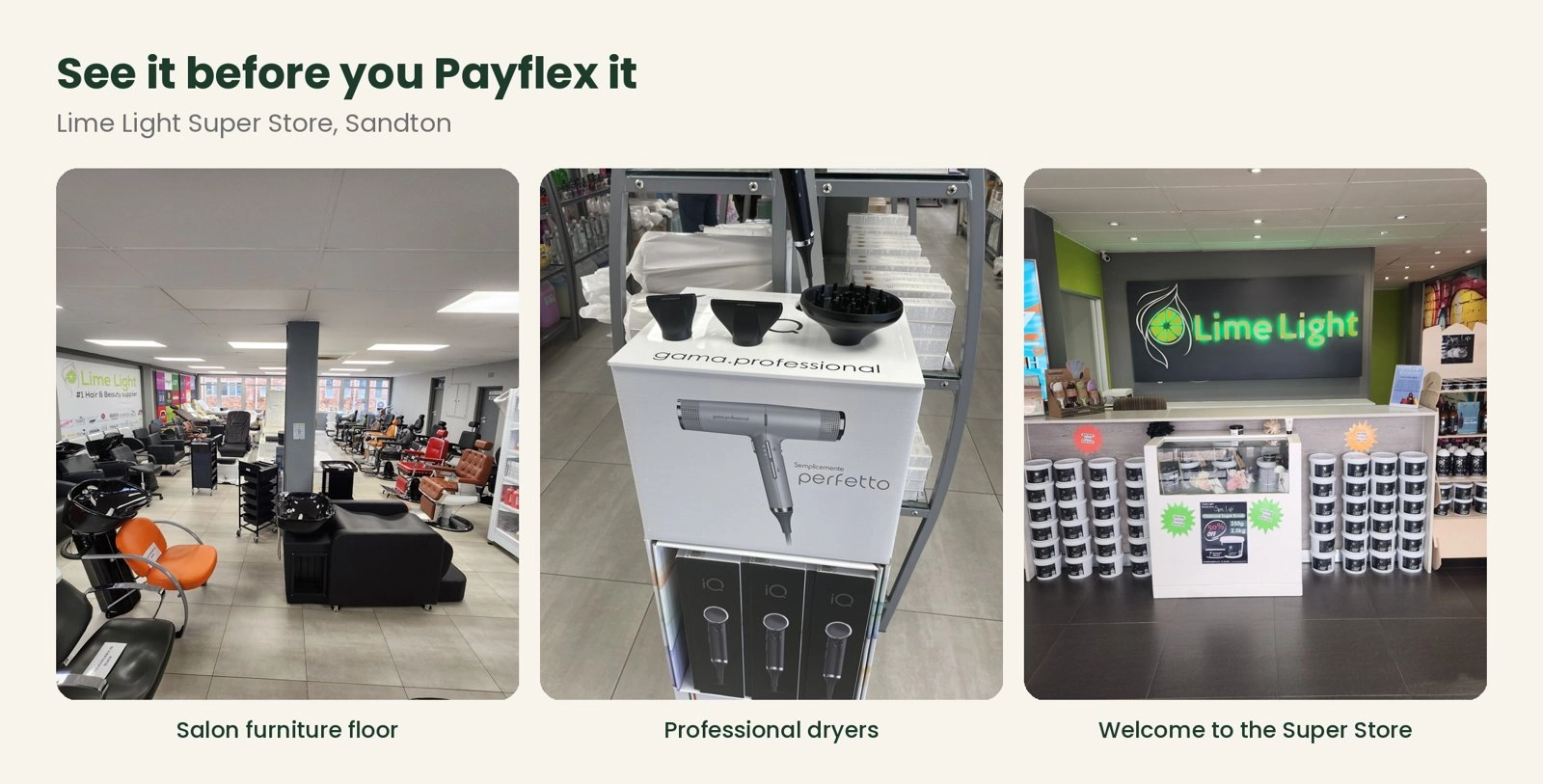
Want to see that chair, dryer or wash station first? Visit the Lime Light Super Store, one of the biggest showrooms of its kind in South Africa for dedicated wholesale hair and beauty products, at Block B, Tripark, 17 Eastern Service Road, Kelvin, Sandton.
Which Payflex-friendly products does Lime Light stock?
- Parlux Alyon 2250W Hair Dryer, Matt Graphite
- Wahl 5 Star Series Cordless Magic Clip
- Gelish 18G Plus LED Light with Comfort Cure
- Marbella Portable 2 Part Wooden Massage Table (Black)

Shop the Payflex kit

Marbella Portable 2 Part Wooden Massage Table (Black)SKU: F-FF-PLI-MRB-L01R 2 550,00R 2 295,00In stock
Delivery
The delivery day for your address, and the time to order by, show at checkout as soon as you enter your address. You can also collect from any branch.
Ways to pay at Lime Light
- Card or instant EFT through PayFast
- Payflex, in four payments
Shop at Lime Light
- Shop online: search the shop for “Parlux”
- New to Lime Light? Create an account on the website.
- Email: shop@limelighthb.co.za
- Lime Chat: ask a consultant from the chat button on any page.
Lime Light Sandton (Superstore)Block B, Tripark, 17 Eastern Service Road, Kelvin, Sandton, 2090
Mon-Fri 08:00-17:00 (closed weekends & public holidays)
Lime Light BoksburgThe Terminal Centre, 191 Dr Vosloo Rd, Bartlett, Boksburg, 1459
Mon-Fri 08:00-17:00 (closed weekends & public holidays)
Hands Down M5 ParkUnit 5, M5 Business Park, Eastman Road, Maitland, Cape Town, 7405
Mon-Fri 08:30-17:00; Sat 08:30-12:30
Beautiquip DurbanGate 4, 106 Avondale Rd, Essenwood, Berea, Durban, 4001
Mon-Fri 08:00-17:00 (closed weekends & public holidays)
Sparkle Cape TownBuilding 3, Waverley Business Park, Wyecroft Road, Mowbray, Cape Town
Mon-Fri 08:00-17:00 (closed weekends & public holidays)
What do people often ask about Payflex?
Is Payflex interest free?
Yes. Every Payflex purchase is interest free. Default fees only apply if you miss a payment.
What is the maximum I can spend with Payflex?
It depends on your individual Payflex assessment. You can see your spend limit in the Payflex app or Customer Portal.
Why is my first instalment bigger than the others?
If your order is more than your spend limit, Payflex increases the first payment to make up the difference.
Does Payflex do a credit check?
Yes. Payflex runs a real-time credit check when you register, and may check again while your account is active.
Why was my application declined?
You need a good credit record with no judgements or adverse flags. If you think there has been a mistake, you can log a query through the Payflex support page.
Which cards can I use?
Any Visa, Mastercard or Amex debit or credit card. You can also pay instalments early by Instant EFT in the app.
Can I change my payment dates?
No, the dates are set automatically, so check them before you confirm. You can always pay early in the app or Customer Portal.
Can I pay off my order early?
Yes. Open the order in the app or Customer Portal and pay the next instalment or the full balance.
What happens if I return something?
Lime Light's normal returns policy applies. Once we process the refund, Payflex cancels or reduces your remaining instalments, and any extra is refunded to your Payflex Wallet, which you can withdraw to your bank account.
Is Payflex safe?
Payflex is part of FeverTree Finance. Payments go through a secure, PCI-compliant South African payment gateway and Payflex does not store your card details.
Is it free to keep a Payflex account?
Yes. There are no ongoing fees to keep your account open once your orders are paid up.

Quick check: 5 questions
Score 4 out of 5 to pass. Take it as often as you like.
Was this helpful?
Comments
Questions and tips from other salons. The Lime Light education team checks each comment before it shows.
Sign in to commentAsk a question or share a tip with other salons. You come back to this article after signing in.Sign in
See also
- Buy now, pay later for salons: Payflex, MoreTyme and Mobicred explained
- How to open a Lime Light trade account
- Parlux hairdryers: the complete guide to every model we stock
- 10 easy ways to get more clients into your salon in 2027
- Lime Light branches in Johannesburg, Cape Town and Durban
- Meet Limey! The zestiest mascot in hair, beauty and nails
What links here
- 10 easy ways to get more clients into your salon in 2027
- 2027 salon marketing calendar: key South African dates and a promotion idea for every month
- Buy now, pay later for salons: Payflex, MoreTyme and Mobicred explained
- How to open a Lime Light trade account
- Meet Limey! The zestiest mascot in hair, beauty and nails
References
- Payflex at Lime Light: how much you can spend, how to grow your limit and how to sign up
Lime Light, checked 2026-11-23
Who made this article
- Written by
- Lime Light Education
- Uploaded
- 2026-11-24 10:21
- Checked by
- Sami Bruce, 24 Nov 2026
- Version
- 1.1 · Updated · See all changes
Smart Terms in this article
Payflexbuy now, pay lateractive ingredientgel polishParluxWahlGelishcuretrade accountLime Chatreturns policy