

Payflex at Lime Light: how much you can spend, how to grow your limit and how to sign up
Lime Light Hair & Beauty · 19 November 2026 · 7 min read

Payflex lets you take your hair, beauty, nail and salon order home now and pay for it in interest-free instalments. Here is everything you need to know: how much Payflex will let you spend, how to grow your limit, what you need to sign up, where to get the app, and the answers to the questions our customers ask most.
Published 20 November 2026 by Lime Light Hair & Beauty Products.
💡 The quick answer
What is Payflex? A South African buy now, pay later service. Split your Lime Light order into 2, 3 or 4 interest-free payments.
How much can I spend? Your spend limit is set by your personal Payflex assessment and shows in the Payflex app and Customer Portal.
How do I grow my limit? Pay every instalment on time or early, use Payflex regularly and keep your other accounts in good standing.
What do I need? To be 18+, a South African ID number, a Visa, Mastercard or Amex card, an email address, a cellphone and a good credit record.
Where is the app? Apple App Store, Google Play and Huawei AppGallery. You can also register at checkout or on the Payflex website.
At Lime Light: shop online at limelighthb.co.za and choose Payflex at checkout.
What is Payflex?
Payflex is a buy now, pay later payment option. Instead of paying the full amount at checkout, you pay part of it upfront and the rest in scheduled instalments, with no interest. Your Lime Light order is processed and sent to you as if you had paid the whole amount on day one.
Payflex describes itself as an interest and charge-free payment plan, not a credit provider. It makes its money from a small fee paid by the store, so there is no cost to you unless you miss a payment.
How do Payflex payments work?
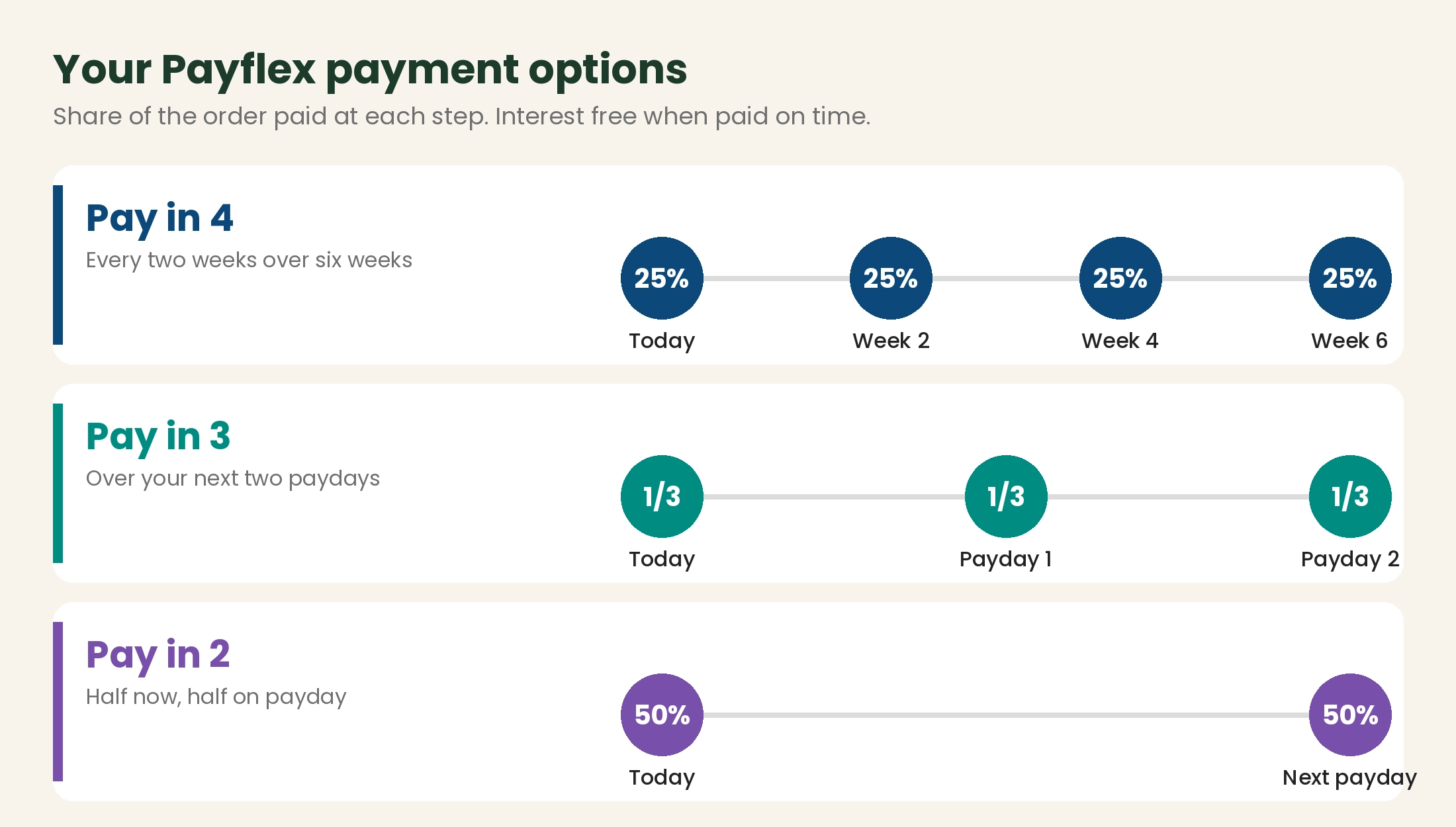
| Plan | Paid at checkout | The rest | Interest |
|---|---|---|---|
| Pay in 4 | 25% | Three payments of 25%, every two weeks over six weeks | None |
| Pay in 3 | A third | Split over your next two paydays | None |
| Pay in 2 | Half | The other half on your next payday | None |
Pay in 2 and Pay in 3 tip: if you buy five or more days before your payday, the next payment comes off on that month's payday. If you buy within five days after payday, it moves to the following month's payday. The plans you can choose are shown at checkout.
How much credit will Payflex give me?
There is no single set amount. Payflex works out a personal spend limit for every shopper when they sign up, based on a real-time assessment that includes a credit check. Once you are approved, you can see your available spend limit at any time in the Payflex app or the Customer Portal.
- You can place several orders at once, as long as they fit within your spend limit and your account is in good standing.
- You can spend more than your limit, but your first payment will be bigger to cover the difference. Payflex calls this a "heavy basket".
- Your limit can change over time, up as you build a good payment record, and Payflex can re-check your credit while your account is active.
How do I increase my Payflex spend limit?
Payflex reviews accounts over time. Increases are not guaranteed, but these habits put you in the best position:
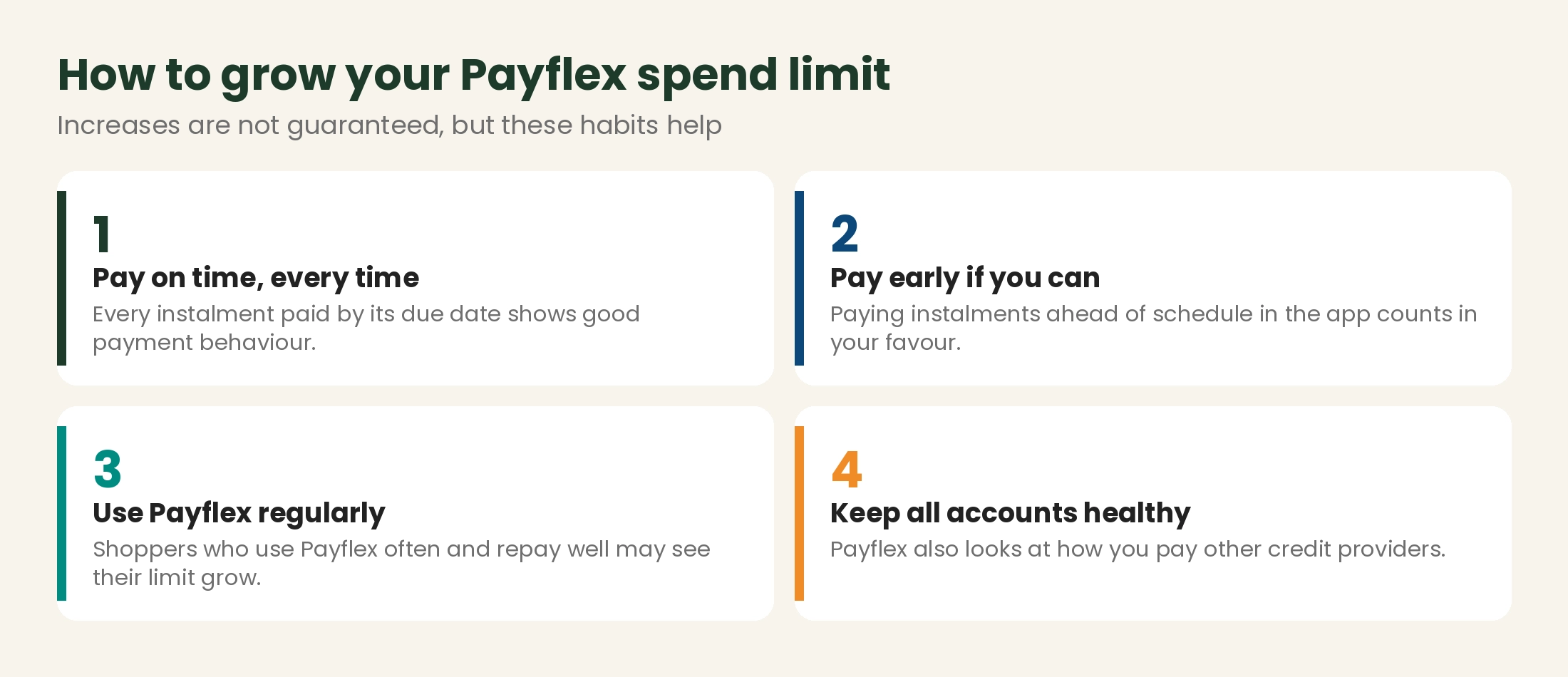
- Pay every instalment on time. Make sure the card on your order has funds and is enabled for online payments.
- Pay early when you can. Log into the app or Customer Portal, open the order and pay the next instalment or the full balance.
- Use Payflex regularly, for example for your monthly salon restock, and repay it well.
- Keep your other accounts up to date. Payflex looks at how you pay other credit providers too.
What do I need to sign up for Payflex?
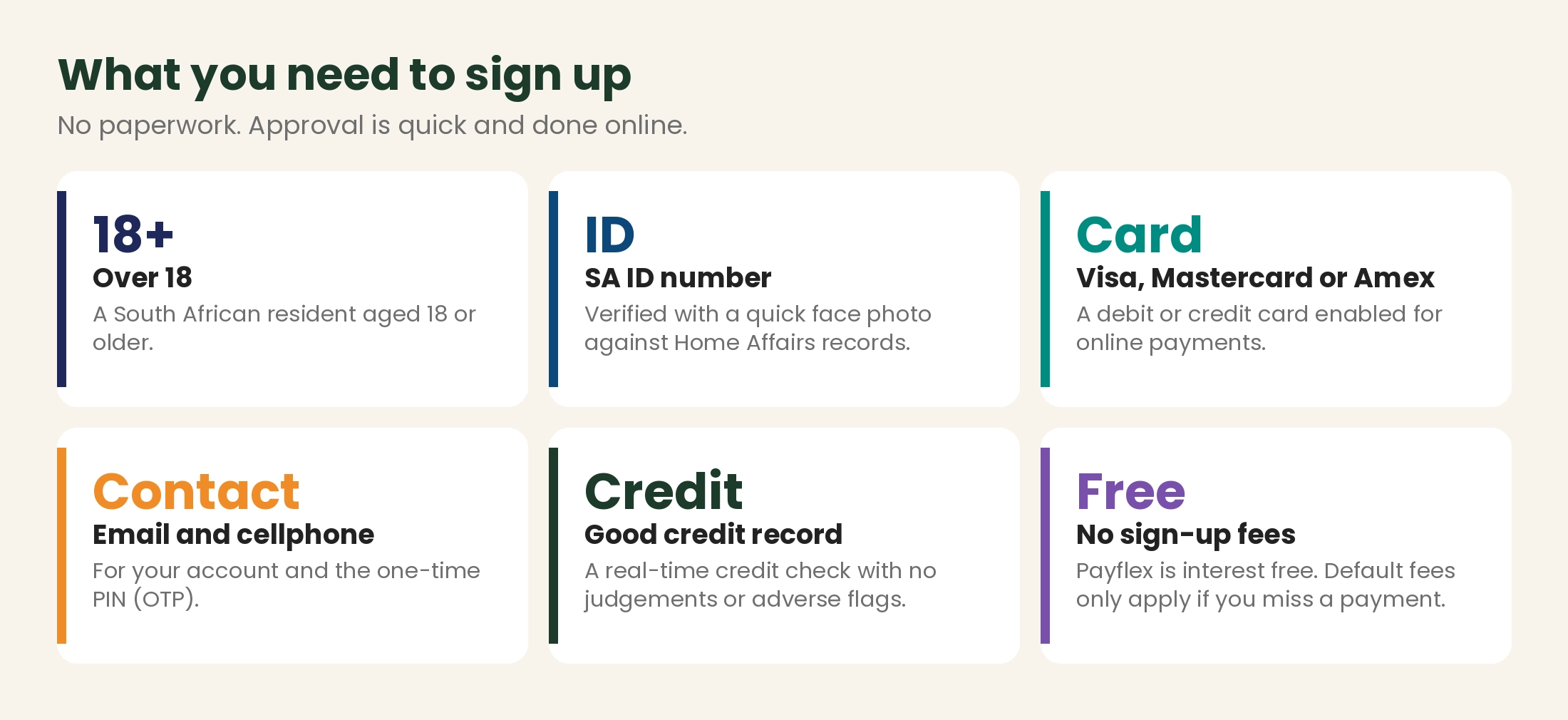
There is no paperwork. When you register, Payflex asks for your ID number, cellphone number and email address, and confirms it is really you with a quick face photo matched to your Home Affairs record. The system then runs a real-time credit check, and if everything checks out you can shop in less than a minute.
💡 Good to know before you apply
You need a good credit record with no judgements or other adverse flags.
If you still have a green ID book and the face check will not match, Payflex advises updating your photo at Home Affairs by applying for a Smart ID card or passport.
Your bank card must be enabled for online transactions with an online limit, or your payment may be declined.
Where do I download the Payflex app or register?

- Apple App Store: search for "Payflex Buy Now Pay Later".
- Google Play: search for "Payflex".
- Huawei AppGallery: search for "Payflex".
- On the web: register at customer.payflex.co.za, or simply choose Payflex at the Lime Light checkout and sign up as you pay.
In the app you can see your spend limit, view your orders and due dates, pay early, change the card on an order, and withdraw any refunds from your Payflex Wallet.
How do I pay with Payflex at Lime Light?
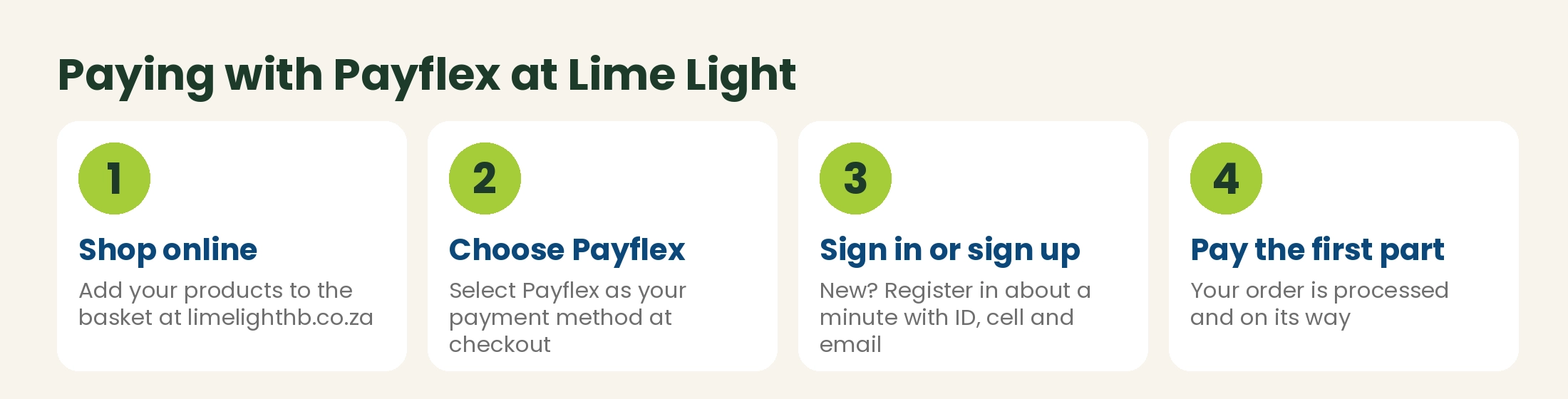
- Shop online at limelighthb.co.za and add your products to the basket.
- Choose Payflex as your payment method at checkout.
- Sign in, or sign up in about a minute with your ID number, cellphone and email.
- Check your plan, then pay the first part. We process and send your order as normal.
What can I buy with Payflex at Lime Light?
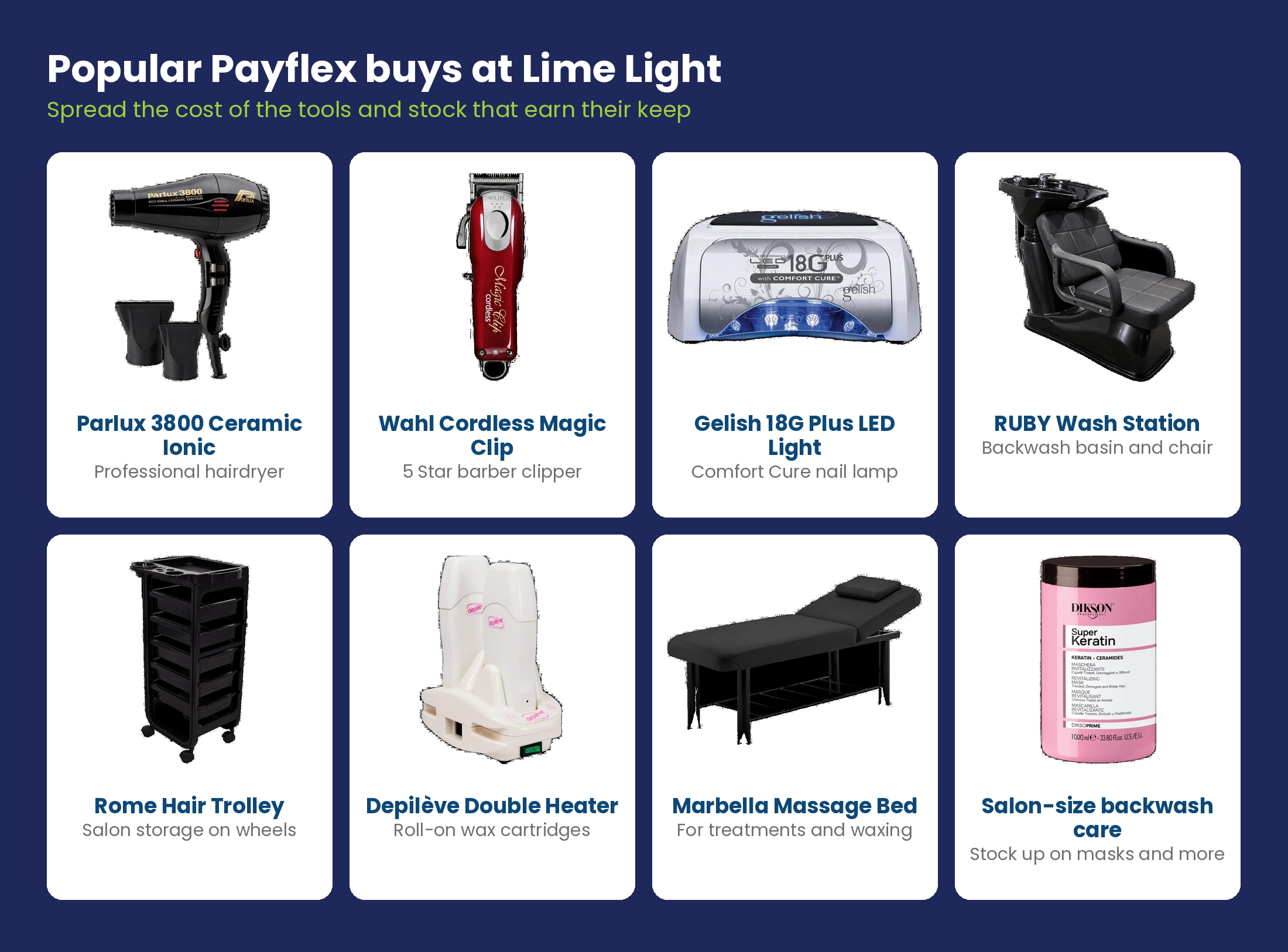
Anything in your online basket, from colour and backwash care to gel polish, furniture and equipment. It is especially handy for bigger purchases that earn money back in the salon every day:
⚠️ Missed payments and default fees
Payflex is interest free when you pay on time. If an instalment fails, Payflex tries again the next day, and then charges a default fee. Payflex lists these fees as R95 for Pay in 4 and Pay in 2 (capped at R285) and R125 for Pay in 3 (capped at R375), or 50% of the purchase price if that is lower. See Section 8 of the Payflex terms and conditions for the latest details.
Lime Light is not a financial advisor and this is general information. Payflex is provided by Payflex under its own terms, which can change.
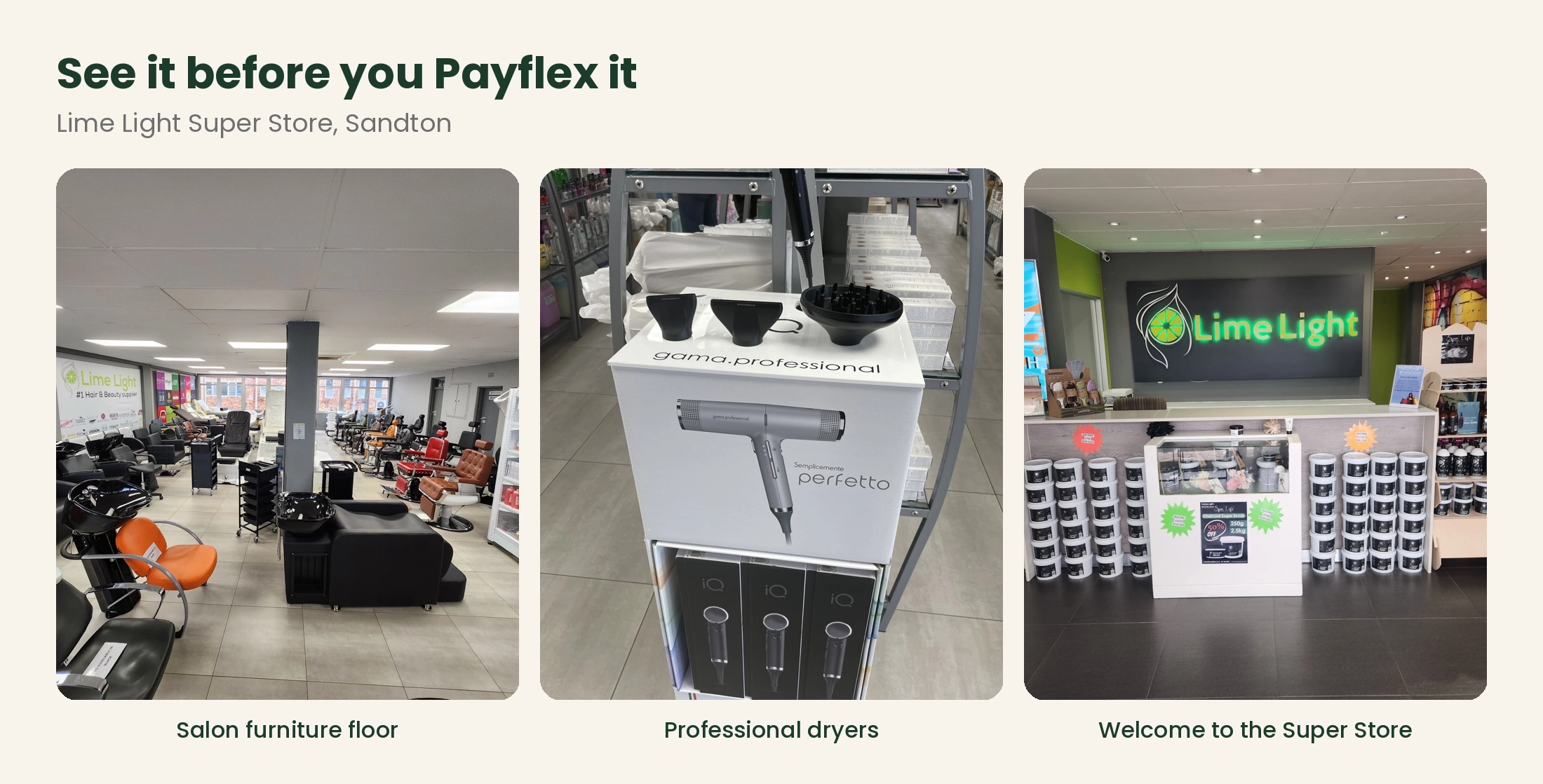
Want to see that chair, dryer or wash station first? Visit the Lime Light Super Store, the largest showroom of its kind in South Africa for dedicated wholesale hair and beauty products, at Block B, Tripark, 17 Eastern Service Road, Kelvin, Sandton.
Payflex frequently asked questions
Is Payflex interest free?
Yes. Every Payflex purchase is interest free. Default fees only apply if you miss a payment.
What is the maximum I can spend with Payflex?
It depends on your individual Payflex assessment. You can see your spend limit in the Payflex app or Customer Portal.
Why is my first instalment bigger than the others?
If your order is more than your spend limit, Payflex increases the first payment to make up the difference.
Does Payflex do a credit check?
Yes. Payflex runs a real-time credit check when you register, and may check again while your account is active.
Why was my application declined?
You need a good credit record with no judgements or adverse flags. If you think there has been a mistake, you can log a query through the Payflex support page.
Which cards can I use?
Any Visa, Mastercard or Amex debit or credit card. You can also pay instalments early by Instant EFT in the app.
Can I change my payment dates?
No, the dates are set automatically, so check them before you confirm. You can always pay early in the app or Customer Portal.
Can I pay off my order early?
Yes. Open the order in the app or Customer Portal and pay the next instalment or the full balance.
What happens if I return something?
Lime Light's normal returns policy applies. Once we process the refund, Payflex cancels or reduces your remaining instalments, and any extra is refunded to your Payflex Wallet, which you can withdraw to your bank account.
Is Payflex safe?
Payflex is part of FeverTree Finance. Payments go through a secure, PCI-compliant South African payment gateway and Payflex does not store your card details.
Is it free to keep a Payflex account?
Yes. There are no ongoing fees to keep your account open once your orders are paid up.
Shop with Payflex at Lime Light
- Shop online: limelighthb.co.za, and choose Payflex at checkout.
- Visit the Super Store: Block B, Tripark, 17 Eastern Service Road, Kelvin, Sandton, the largest showroom of its kind in South Africa for dedicated wholesale hair and beauty products.
- Open a trade account: visit our website and hit register, fill in the details and we will approve your account.
- Call us: 011 262 2451 | Email: shop@limelighthb.co.za
More from the blog
 Meet Limey! The zestiest mascot in hair, beauty and nailsMeet Limey, Lime Light's fun-loving, adventurous lime with a passion for hair, beauty and nails. His legend, friends, arch-enemy, adventures and beauty secrets.
 What is hair porosity? How to test it, and the best products for low, medium and high porosity hairLow, medium or high porosity hair? How to test your hair porosity at home, what causes it, how to care for it, and why it matters for colour.
 How to remove gel polish safely: the soak-off method that protects your natural nailsHow to remove gel polish without damaging your nails: the 6-step soak-off method, the tools you need, acetone safety, mistakes to avoid and where to buy in South Africa.